


Your documentation may answer exactly what a potential customer is searching for. But if the page is hard to find or poorly organized, they may never see it.
The short answer: Documentation SEO makes public product guides easier for search engines to find, index, understand, and display for relevant searches. Start with technical access, organize pages around tasks, write clear feature and integration guides, and measure what happens after people discover them. None of these steps guarantees rankings or AI citations.
What is documentation SEO, and how is it different from blog SEO?
Documentation SEO improves product documentation for organic discovery without sacrificing accuracy or usefulness.
Blogs often explain a problem. Documentation shows whether a product can solve it and how, through setup, feature, integration, API, migration, and troubleshooting guides.
This is one part of documentation-led growth: helping people find useful product knowledge before and after signup.
How do you make product documentation crawlable and indexable?
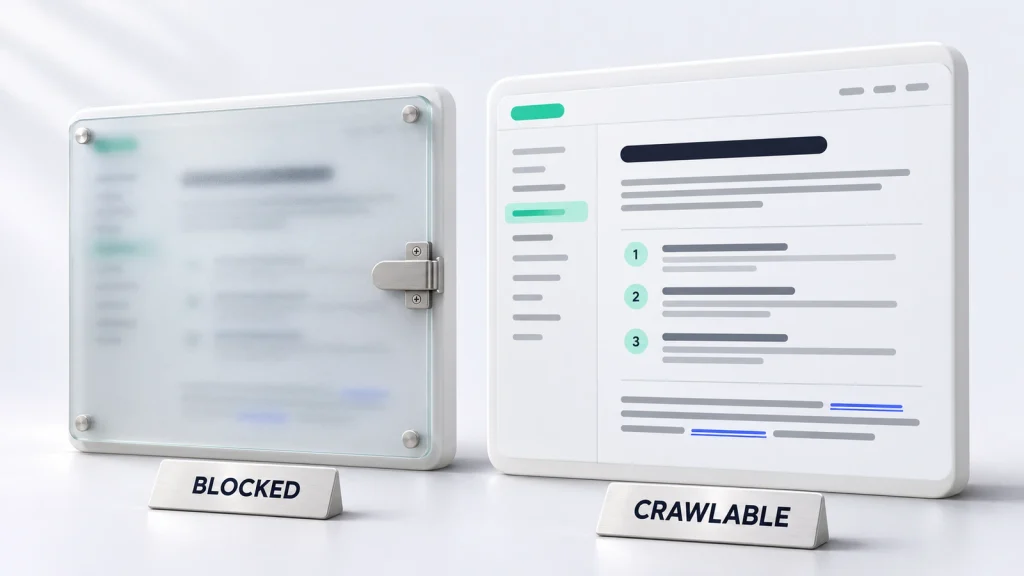
First, confirm search engines can access your public guides. A polished interface means little if crawlers cannot read it.
- Check access. Public guides should return HTTP
200, work without login, and avoid unintendednoindex. Userobots.txtto manage crawling, not to reliably remove URLs from search. - Check rendered content. Use Google’s URL Inspection tool. If content depends on JavaScript, verify the rendered HTML contains the answer and navigation. Server-side rendering or pre-rendering can help.
- Use real links. Connect docs with standard
<a href>links, not navigation that depends entirely on clicks handled by JavaScript. - Submit a clean sitemap. List canonical, indexable documentation URLs in an XML sitemap and submit it in Google Search Console. A sitemap helps discovery but does not guarantee indexing.
- Handle duplicates. Canonicalize near-identical URLs. Keep distinct versioned guides when useful; redirect retired pages when a relevant replacement exists.
Google’s JavaScript SEO guidance and indexing guidance explain these checks.
How should you organize your documentation hierarchy?
Build a hierarchy around what users want to accomplish, not just how your engineering team names features.
A useful structure might be:
/docs/getting-started//docs/features/customer-segments//docs/integrations/shopify//docs/guides/automate-refund-emails//docs/troubleshooting/webhook-errors/
Give each guide a parent page, breadcrumbs, and related links. An integration overview should lead to setup, supported events, limitations, and relevant workflows.
For a broader approach, see how to build a documentation-led growth strategy.
How do you map search intent to the right documentation page?
Match one primary user need to one strong page. Research Search Console queries, support tickets, sales questions, and actual product capabilities.
| Example search question | Best page type | What to answer |
|---|---|---|
| How to connect Shopify to an email platform? | Integration guide | Compatibility, setup, permissions |
| Does this tool support server-side tracking? | Feature guide | Capabilities, limits, requirements |
| Why is a webhook returning a 401 error? | Troubleshooting guide | Cause, fix, example response |
These examples are not keyword-volume estimates. Prioritize relevance and evidence of demand.
What titles, headings, and metadata help documentation SEO?
Use the words people recognize, and describe what the page actually delivers.
For example:
- Weak title:
Shopify Integration - Better title:
Connect Shopify Orders to [Product]: Setup Guide - Suggested URL:
/docs/integrations/shopify-orders/ - Meta description:
Learn how to connect Shopify orders to [Product], check required permissions, and troubleshoot common sync problems.
Use one clear H1 and question-based H2s, such as “Which permissions are required?” Add accurate alt text and descriptive links. Google may rewrite search titles and snippets. See its title and snippet guidance.
How do you write feature and integration guides that deserve to rank?
Answer the question immediately. A useful guide should include:
- Capability: What does the feature or integration do, and what does it not do?
- Requirements: Supported plans, permissions, versions, and prerequisites.
- Steps: A tested procedure with current UI labels, screenshots, or working code.
- Verification: How users confirm the setup works and troubleshoot failures.
- Next step: Links to related workflows, a relevant feature page, or a trial when appropriate.
For example, “Automate Emails After Shopify Refunds” should explain supported events before setup instructions. It helps existing users and prospective buyers.
Explore more examples in documentation as a growth channel.
Can better documentation also improve visibility in AI search?
Accessible documentation can support AI-assisted research, but no structure can force ChatGPT, Claude, Gemini, or Google to cite it.
For Google’s AI features, official guidance emphasizes SEO fundamentals and original value. Special AI markup or llms.txt is not required for Google Search. Keep capabilities and limitations explicit. Learn more about documentation for AI search.
How do you monitor documentation SEO after publishing?
Create a baseline before you edit, then review results monthly.
| Signal | Where to check | What it tells you |
|---|---|---|
| Indexed pages and exclusions | Search Console Page Indexing | Whether important URLs are eligible to appear |
| Queries, impressions, and clicks | Search Console Performance | Which tasks lead searchers to docs |
| Docs-to-product and signup clicks | Analytics events | Whether readers take useful next steps |
| AI search visibility | Available platform reports and manual checks | Which answers reference your docs, with limited coverage |
Investigate impressions without clicks, missing indexation, and unanswered buyer questions. Recheck crawling after platform changes.
What should your first 30 days of documentation SEO look like?
- Days 1–3: Audit crawling, indexing, rendering, and canonical URLs.
- Days 4–7: Fix orphaned links, hierarchy, and sitemap issues.
- Weeks 2–3: Map intent and improve priority feature and integration guides.
- Week 4: Connect relevant product journeys and record a performance baseline.
- Monthly afterward: Review search signals, guide accuracy, and conversions.
Want a starting point? Try Decodability’s free documentation audit, or explore our documentation SEO service.
Frequently Asked Questions
How long does documentation SEO take to work?
There is no fixed timeline. Crawling, indexing, competition, search demand, and site history affect results. Establish a baseline and compare performance over time.
Should API reference pages and how-to guides target the same keyword?
Usually not. Reference pages explain exact endpoints or parameters; how-to guides answer complete tasks. Link them together rather than duplicating their purpose.
Should outdated documentation be deleted or redirected?
Redirect a retired URL when a genuinely relevant replacement exists. Keep older version documentation available when users still need it, and clearly label versions.
Does FAQ schema improve rankings or create FAQ rich results in 2026?
No ranking benefit is guaranteed. Google discontinued FAQ rich results in May 2026. You may use accurate FAQPage structured data that matches visible questions, but do not expect an FAQ rich result.