


Your software might already answer buyers’ questions, but useful information can be buried under vague titles, disconnected help articles, or technical barriers.
Quick answer: Using documentation for SEO and AI search means making existing product knowledge accessible, accurate, and useful as a standalone answer. Check crawlability, match pages to real questions, explain capabilities and limits, connect related pages, and measure results. These improvements support discovery but cannot guarantee rankings or AI citations.
Why does documentation matter for Google and AI search?
Documentation answers questions a homepage rarely covers in detail. Someone comparing software may search for a Shopify integration, automation workflow, or feature limitation before signing up.
Google’s guidance for generative AI features says established SEO practices remain relevant to AI Overviews and AI Mode. Those features use Google’s search systems to find supporting information. Other AI services, including ChatGPT and Claude, may retrieve or reference public pages through different mechanisms.
The opportunity is clearer product knowledge, not pages written only for machines. This supports documentation-led growth.
Which documentation pages should you improve first?
Start with existing pages answering valuable buyer questions. Improving an incomplete answer may matter more than writing another article.
Review Search Console queries, help-center searches, and recurring sales or support questions. Map each question to the page that should answer it.
| Real question | Existing page problem | Improvement to make |
|---|---|---|
| Does this app work with Shopify? | Integration is only listed in a directory | Explain supported data, setup, and limits |
| Can I recover abandoned carts? | Feature is hidden under “Automations” | Give the workflow a descriptive page |
| Why is an event not syncing? | Troubleshooting steps are scattered | Add a clear diagnostic sequence |
These are hypothetical examples. If pages overlap, choose one authoritative answer.
For a wider prioritization method, see our step-by-step documentation-led growth strategy.
How do you make product documentation crawlable and indexable?
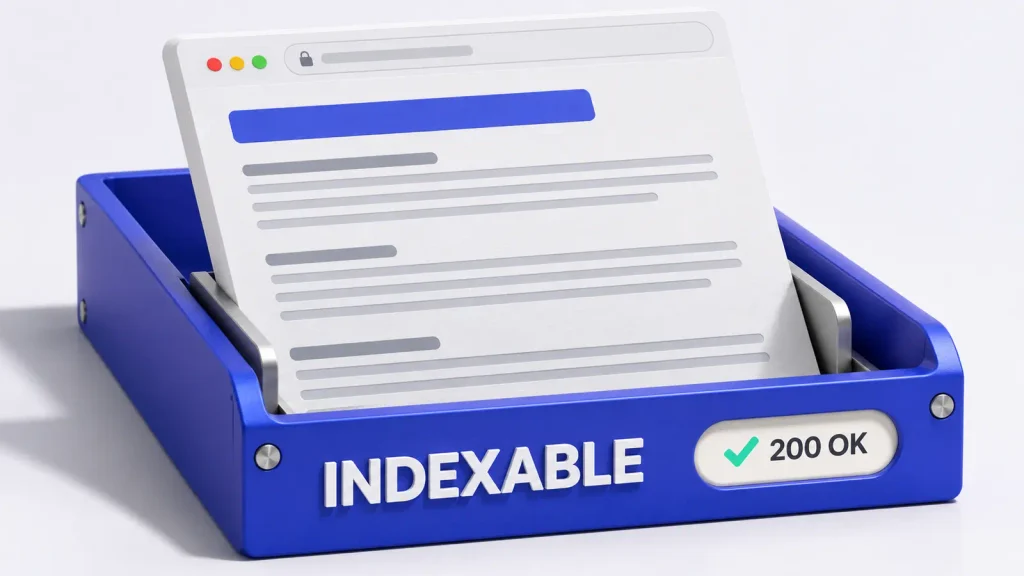
Make public answers accessible to crawlers before polishing copy. A blocked page cannot earn a normal Google search listing.
Check priority URLs:
- Access: HTTP
200, no login, accidentalnoindex, or blockingrobots.txtrule. - Rendered content: Answers and links appear in rendered HTML, not only in images or inaccessible interactions.
- Canonical URL: The tag points to the intended version, accounting for duplicates and older versions.
- Discovery: The page appears in the XML sitemap and has navigable HTML links.
- Verification: Check indexing and test the live URL in Google Search Console’s URL Inspection tool.
Keep private docs private. Review AI crawler controls separately because search retrieval and model training are different decisions.
For more technical context, explore documentation SEO for software companies.
How should a documentation page answer a product question?
Lead with the answer, followed by prerequisites, steps, and limitations. The reader should understand the capability without opening several tabs.
For example, imagine a fictional marketing app with a Shopify integration:
Weak answer
“Our powerful integration makes syncing effortless.”
Useful answer
“The Shopify integration sends supported store events to your automation workspace after you connect your store. Historical events are not imported. Follow the setup steps below to connect the account and test an event.”

The second version states a capability, condition, and boundary. Verify real answers against the current product.
Include steps, expected results, troubleshooting, and a review date when useful. Specify the product version or plan when behavior differs.
How do headings and terminology help search systems understand docs?
Keep product, feature, and event names consistent. Introduce common synonyms once, then use the official term.
Replace “Overview” with “How do I connect Shopify?” or “Which events does the integration support?” Use a descriptive title and logical heading hierarchy.
Use readable URLs such as /docs/shopify-integration/events. Preserve existing URLs where possible; redirect changed ones permanently.
Where should internal links lead readers next?
Link to the next relevant task, not just the docs homepage. Integration overviews can connect setup, limitations, troubleshooting, and product trials.
Use descriptive anchors such as “configure Shopify event syncing.” Check for broken links and orphan pages.
Our 90-day documentation-led growth playbook connects audits, content updates, and measurement.
How do you measure SEO and AI-search improvements?
Record a baseline, then compare the same URLs and questions. Keep technical, visibility, and business metrics separate.
| Measure | What to check |
|---|---|
| Technical health | Indexing status, canonical selection, broken links |
| Google discovery | Page-level impressions, queries, clicks, and relevant visits |
| Product engagement | Visits to setup guides, trials, demos, or other useful next steps |
| AI observations | Whether a response mentions, cites, and accurately describes the product |
Test repeatable buyer questions in ChatGPT, Claude, and Gemini. Record the date, prompt, response, and visible sources. One citation is an observation, not proof of lasting visibility.
Google does not guarantee crawling, indexing, or placement. AI mentions and rankings have no promised timeline.
What should your final documentation optimization checklist include?
- Public priority pages are crawlable, indexable, and linked internally.
- Each page answers a real feature, integration, or workflow question.
- Product names, versions, prerequisites, and limitations are accurate.
- Titles, headings, descriptions, and URLs describe the actual answer.
- Related guides link to one another and to useful product next steps.
- Search Console, analytics, and dated AI observations are tracked separately.
If you are unsure where the largest gaps are, start with a free documentation audit and verify its findings against your product knowledge.
Frequently Asked Questions
Can documentation rank in Google and appear in AI answers?
Yes, public documentation can be discovered through search and may be used as a source in AI-powered answers. Indexing, rankings, mentions, and citations still depend on each platform and are never guaranteed.
Do we need separate documentation for SEO and AI search?
Usually not. Start with one accurate, accessible documentation system. Improve answer clarity, structure, and internal linking for people first, then review platform-specific access settings.
Does an llms.txt file improve Google AI Search visibility?
No. Google says llms.txt is not used by Google Search, including its generative AI features. Other tools may use it, but it cannot replace crawlable pages or strong content.
Should every help-center page be indexed?
No. Public, useful answers may be good indexing candidates. Keep private, duplicate, staging, and other unsuitable pages out of search according to their purpose.
How soon will documentation optimization work?
There is no reliable universal timeline. Monitor indexing, relevant search queries, visits, and AI responses after updates, then keep improving pages based on the evidence.