


A potential customer already uses Shopify, HubSpot, or Salesforce. Before choosing your software, they search one simple question: “Will it work with the tools we already use?”
If your answer is buried in setup documentation or reduced to a partner logo, you could lose that buyer before they ever see your product.
The short answer: Integration pages SEO means making each supported software connection easy to find, understand, and act on. A strong integration page confirms compatibility, explains useful workflows, shows how setup works, and offers the right next step, whether that is reading a guide, starting a trial, or booking a demo.
What is integration pages SEO?
Integration pages SEO is the process of optimizing software integration pages for searches about whether two tools work together and what they can do together.
Unlike a general feature page, an integration page answers a specific product-fit question. Someone searching “Shopify loyalty app integration” may be evaluating vendors. Someone searching “connect loyalty app to Shopify” may already be implementing one. Both need accurate answers, but not necessarily the same next step.
This is one practical application of documentation SEO: make product knowledge discoverable without turning useful instructions into sales copy.
Can one integration page serve buyers and existing customers?
Yes. The best integration pages let buyers assess fit quickly while giving existing users a clear route to implementation.
| Prospective buyer asks | Implementation user asks |
|---|---|
| Does this work with my software? | How do I connect the accounts? |
| What can I automate or sync? | What permissions are required? |
| Is my plan or region supported? | How do I test or troubleshoot it? |
| Can I try it before buying? | Where is the full setup guide? |
The solution is one clear overview page with two paths: a buyer-friendly explanation near the top and a linked, detailed setup guide below or in the docs. This prevents marketing and support teams from publishing competing, inconsistent answers.
What should an integration page explain before asking for a signup?
It should resolve the questions that could stop someone from trying your product.
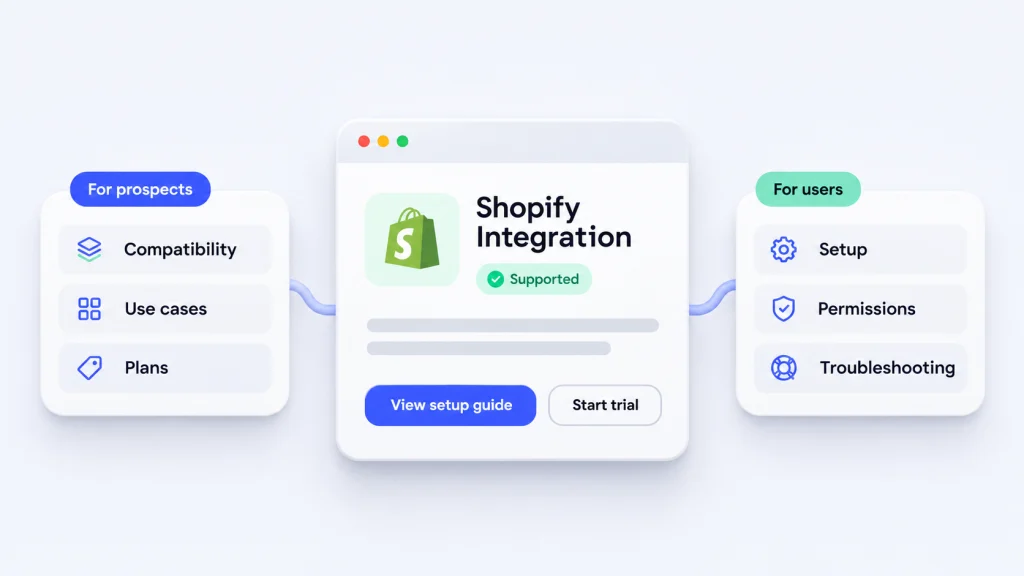
- Compatibility: Name both products, supported versions or plans, regions, and any required third-party account.
- Capabilities: Specify what actually syncs or triggers. Say whether the flow is one-way, two-way, real-time, or scheduled.
- Use cases: Describe two or three realistic outcomes, not generic claims like “save time.”
- Setup: Summarize prerequisites and steps, then link to the full installation instructions.
- Limits: Disclose important permissions, pricing dependencies, unsupported objects, or known restrictions.
- Next step: Offer “Start free trial” or “Book a demo” for buyers, and “View setup guide” for users.
For example, a hypothetical loyalty platform connecting to Shopify might explain how eligible order events feed reward workflows. It should name the exact events supported rather than imply that every Shopify event syncs.
This is how docs as marketing works: useful product information supports a buying decision without hiding the technical details.
What is a model SEO-friendly integration page outline?
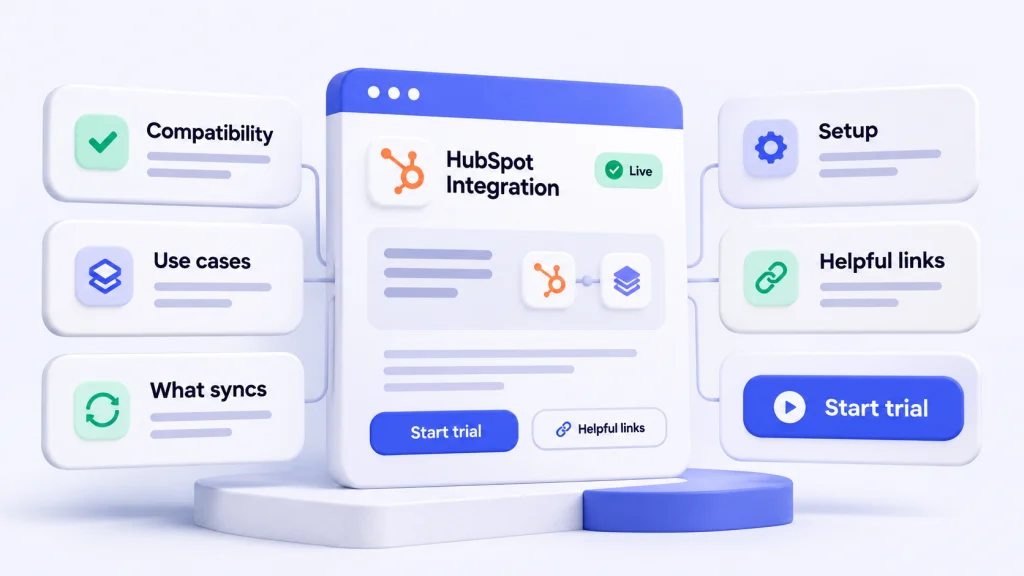
Use this adaptable page structure for one real, supported integration:
| Page section | What to include |
|---|---|
| H1: [Product] + [Partner] Integration | Clear name, one-sentence explanation, trial/demo CTA |
| Does [Product] integrate with [Partner]? | Direct yes/no answer, supported connection type |
| What can you do with it? | Two or three specific, verifiable workflows |
| What data syncs? | Objects, direction, frequency, permissions, limitations |
| How do you set it up? | Prerequisites, three to five steps, full guide link |
| Who is it for? | Relevant teams, use cases, supported plans |
| What if something fails? | Troubleshooting and support links |
| How do you get started? | Trial/demo CTA plus documentation link |
Example page title: “Shopify Integration for [Product]: Features, Setup & Requirements.” Use the real product name and supported functionality before publishing.
How do you find SEO keywords for integration pages?
Start with the phrases that reflect compatibility, use cases, and setup intent.
- Product + partner: “[Your Product] Shopify integration”
- Category + partner: “loyalty app for Shopify”
- Connection question: “does [Your Product] integrate with Shopify?”
- Implementation: “how to connect [Your Product] to Shopify”
Check Google Search Console queries, internal site search, sales questions, and support tickets. Prioritize integrations people actually use and prospects repeatedly request, not every partner name you can list.
Give each connection one useful primary page. Link to it from your integrations directory, relevant feature pages, and setup docs. Avoid launching dozens of near-identical pages with swapped logos.
How can integration docs become visible in Google and AI search?
Make the compatibility answer publicly accessible, specific, and easy to verify. This supports traditional search and gives AI systems clearer product facts to work with.
Use descriptive URLs and titles, question-led headings, plain HTML text, crawlable internal links, and a sensible canonical URL. Keep important answers available without login. Review indexing in Google Search Console, and update pages when integrations change.
Google’s guidance for generative AI search recommends useful original content and sound technical SEO, not special AI-only tricks. These improvements can support discoverability; they cannot guarantee rankings or citations in ChatGPT, Claude, Gemini, or Google.
Read our guide to documentation for SEO and AI search for the broader process.
How do you turn integration-page visits into signups?
Match the action to the visitor’s intent. A buyer assessing compatibility may want a free trial or a demo. An existing user who is stuck during setup needs instructions first.
Place one relevant CTA near the compatibility answer and another after the main use cases. Keep the setup guide accessible without forcing a signup. If the product requires an account for setup, say so plainly.
Measure the full journey: organic landing visits → trial/demo clicks → signups → successful connections → activated accounts. Use Google Search Console for search queries and analytics or product events for later steps. A rising pageview count alone does not prove growth.
This is the difference between documentation that simply answers questions and documentation that supports acquisition.
Frequently Asked Questions
Should integrations have separate landing pages and documentation?
Use one canonical integration overview for evaluation, then link to a separate technical setup guide when instructions are complex. Keep capabilities and limitations consistent across both.
Do integration pages help SaaS SEO?
They can. Dedicated pages match specific compatibility and workflow searches that general product pages may not answer well. Results depend on actual demand, content quality, competition, and crawlability.
Should every integration get its own SEO page?
No. Publish dedicated pages for genuine, supported connections when you can provide unique compatibility details, workflows, and instructions. Avoid thin pages built only to target partner names.
Do FAQs or schema guarantee Google or AI visibility?
No. Clear questions help readers, but Google discontinued FAQ rich results in 2026. Structured data cannot substitute for accurate, accessible content or guarantee AI citations.
What should you improve first?
Choose your most commercially relevant integration, confirm its technical facts with your product team, and rebuild the page around compatibility, use cases, setup, and the next action. Then measure whether qualified users move forward.
Want to find the gaps in your integration documentation? Run Decodability’s free documentation audit to identify opportunities for clearer discovery and stronger buyer journeys.